
What Are Crawling and Indexing in SEO?
Crawling and indexing in SEO determine whether a webpage can appear in Google Search. Crawling happens when Googlebot discovers and accesses a URL, while indexing happens when Google processes the page and considers storing it in its search database. A page must usually pass through both stages before it becomes eligible to rank for relevant search queries.
Table of Contents
A page can be crawled without being indexed, and an indexed page may still fail to rank well. When Google cannot crawl a URL, you should check internal links, robots.txt rules, server responses, redirects, and page accessibility. When a page is crawled but not indexed, you should examine its content quality, duplication, canonical signals, rendering, and overall search value.
For business owners and marketers, crawling and indexing form the foundation of technical SEO. Publishing more content will not improve visibility if search engines cannot access or understand important pages. Technical checks should therefore come before aggressive content promotion or backlink building.
Crawling vs Indexing vs Ranking in SEO

Crawling, indexing, and ranking are separate stages of the search process. Crawling helps Google find and access a webpage, indexing helps Google understand and store it, and ranking decides where it should appear for a specific query. A problem at any one of these stages can reduce organic search visibility.
|
Stage |
What happens |
Main question |
Common problem |
|---|---|---|---|
|
Crawling |
Googlebot discovers and fetches a URL |
Can Google access it? |
Blocked, orphaned, slow, or broken |
|
Indexing |
Google analyses and processes the page |
Should Google store it? |
Duplicate, thin, noindex, or rendering issue |
|
Ranking |
Google compares eligible indexed pages |
Is it the best result? |
Weak relevance, quality, or authority |
Google explains that Search broadly works through crawling, indexing, and serving results. However, completing one stage does not guarantee that a page will complete the next stage. A technically accessible page may still be excluded from the index if Google finds another version more useful or considers the content insufficiently distinct.
Google’s guide on how Google Search works explains that webpages broadly move through crawling, indexing, and serving in search results. Completing one stage does not guarantee that the page will complete the next stage. A technically accessible page may still remain unindexed if Google finds another version more useful or sees limited unique value.
What Is Crawling in SEO?
Crawling in SEO is the process search engines use to discover and access webpages. Automated programs known as crawlers or bots follow links, read sitemap files, revisit known pages, and identify new or updated URLs. Google’s main web crawler is commonly known as Googlebot.
Googlebot can discover a page through internal links, external backlinks, XML sitemaps, redirects, and URLs that Google already knows. It requests the page from the server, reviews the response code, reads the available HTML, and may render JavaScript before processing the content. This process helps Google understand which pages exist and how they connect.
A website with good crawlability usually has:
- Crawlable HTML links pointing to important pages
- Correct HTTP status codes
- Clear website navigation and category structure
- Robots.txt rules that do not block essential content
- No unnecessary redirect chains or redirect loops
- Important content available after JavaScript rendering
- Stable server performance and reasonable page speed
An XML sitemap can help Google discover URLs, especially on a new or large website. However, a sitemap cannot replace proper internal linking or guarantee that every submitted URL will be indexed. Digirank’s guide to robots.txt and Sitemap.xml explains how both files support search engine access.
How Indexing Works After Crawling
Indexing begins after Google fetches and processes a webpage. Google analyses the main content, headings, metadata, images, language, structured data, duplicate versions, and links on the page. It then decides whether the URL offers enough value to store in its searchable index.
Google may also render JavaScript because many websites load important information after the first HTML response. During indexing, Google can group similar or duplicate pages and select one preferred version as the canonical URL. This means the URL you submitted may not always be the version Google chooses to index.
A page has a stronger chance of being indexed when it:
- Returns a valid 200 HTTP response
- Provides original and useful information
- Matches a clear search intent
- Uses consistent canonical signals
- Does not include an accidental noindex directive
- Receives relevant internal links
- Displays its main content correctly after rendering
Indexing is not automatic simply because a page was successfully crawled. Google may delay processing, select another canonical page, or exclude the URL when it closely repeats existing content. This distinction is important when diagnosing sudden traffic losses or missing pages.
How to Check Crawling and Indexing in Google Search Console

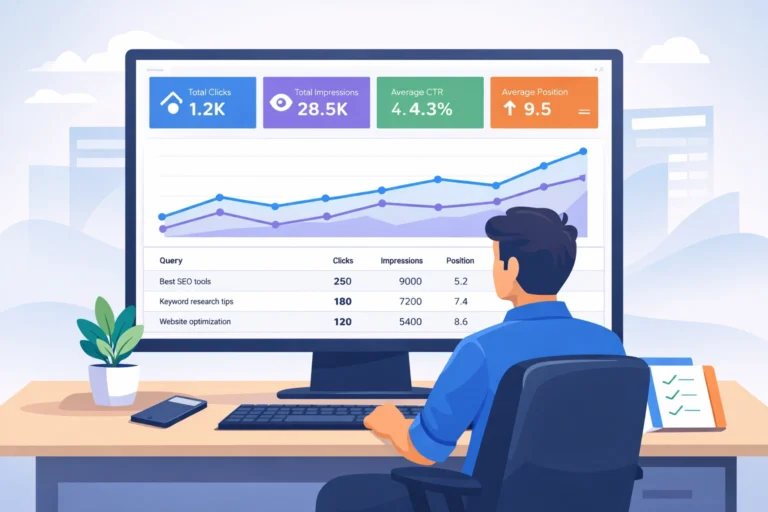
Google Search Console provides the most reliable information about how Google treats specific URLs. The URL Inspection Tool shows whether Google discovered, crawled, rendered, and indexed a page. It can also reveal the canonical URL selected by Google and the date of the last recorded crawl.
Follow this diagnostic order:
- Inspect the exact canonical URL in Search Console.
- Check whether Google knows the URL.
- Review the last crawl date and crawl result.
- Compare the user-declared canonical with Google’s selected canonical.
- Run Test Live URL to check current accessibility.
- View the rendered page and loaded resources.
- Review the Page Indexing report for repeated patterns.
- Check Crawl Stats if server errors or crawl drops appear.
The site: search operator can provide a quick indication of whether a specific page appears in Google. However, it should not be used as an exact measurement of indexed pages because its results are not always complete. Digirank’s guide on how to use Google Search Console explains the main reports and diagnostic tools in more detail.
What Crawled but Not Indexed Means

Crawled but not indexed means Google visited and processed the URL but has not added it to the searchable index. The status does not always indicate a serious technical fault, and Google may decide to index the page later. However, a large or growing number of affected URLs usually deserves investigation.
Common causes include:
- Thin or repetitive content
- Several pages targeting the same keyword
- Duplicate product, category, or location pages
- Google selecting another canonical URL
- An accidental noindex directive
- Important content missing after rendering
- Soft 404 pages that return a 200 status
- Weak internal links or excessive crawl depth
- Recently published pages awaiting further processing
Start by checking the URL’s response code, canonical tag, robots directives, rendered content, internal links, and sitemap inclusion. You should also compare the page against other URLs that target the same search intent. If another page answers the query more completely, Google may see little reason to index both.
Do not repeatedly press Request Indexing without making meaningful improvements. Google states that repeated requests for an unchanged URL do not make crawling happen faster. Request indexing only after fixing the technical issue, strengthening the content, or updating important page signals.
How to Improve Crawling and Indexing in SEO

Improving crawling and indexing requires both technical accessibility and useful content. Technical fixes help search engines reach and process the page, while quality improvements give Google a reason to include it in the index. Both areas must work together.
Prioritise these actions:
- Add internal links from relevant category, service, and blog pages.
- Keep only canonical and indexable URLs in the XML sitemap.
- Remove accidental robots.txt blocks and noindex directives.
- Correct conflicting canonical tags and redirects.
- Merge pages that target the same search intent.
- Add original examples, expert insight, and practical information.
- Fix broken links, soft 404s, and recurring server errors.
- Test JavaScript content through the URL Inspection Tool.
- Reduce unnecessary filter, parameter, and search-result URLs.
- Perform a complete SEO audit after major website changes.
Your XML sitemap should contain the preferred canonical URLs that you want Google to discover. Avoid adding redirected, blocked, duplicate, noindex, or error pages to the file. Google’s official XML sitemap guidelines confirm that submitting a sitemap is only a signal and does not guarantee crawling or indexing.
Crawl budget receives considerable attention, but it mainly affects very large or frequently updated websites. Most small and medium business websites benefit more from clear navigation, fewer duplicate pages, reliable hosting, and stronger internal links. Fixing basic crawlability and indexability issues should come before advanced crawl budget optimisation.
What Is an SEO Crawler?
An SEO crawler is a tool that scans a website in a way that is similar to a search engine bot. It follows internal links, collects information about each URL, and reports technical SEO problems. Popular tools include Screaming Frog, Sitebulb, Semrush, and Ahrefs.
An SEO crawler can identify:
- Broken internal and external links
- Redirect chains and loops
- Duplicate title tags and descriptions
- Missing canonical tags
- Noindex pages
- Blocked resources
- Incorrect status codes
- Orphaned or deeply buried pages
- XML sitemap inconsistencies
An SEO crawler cannot confirm Google’s final indexing decision. It shows what your website makes available to a crawler, while Google Search Console shows how Google actually processed certain URLs. Using both tools together provides a more complete diagnosis.
Digirank’s Take: Diagnose the Failed Stage First
The right SEO solution depends on where the page failed. Discovery, crawling, rendering, indexing, and ranking are connected, but each stage has different causes and fixes. Treating every visibility problem as a content issue often wastes time.
A hardware engineer would not replace an entire motherboard before checking the power source, cable connection, and error indicators. Technical SEO should follow the same methodical approach. Test the most likely cause, apply a focused correction, and then verify the result through Search Console.
Do not solve a crawling problem only by rewriting the page. Do not solve an indexing-quality issue by submitting the same URL every day. First identify whether Google can find the page, access it, render it, understand it, select it as canonical, and include it in the index.
This structured approach also supports Answer Engine Optimization. Pages with clear answers, useful context, reliable evidence, and logical headings are easier for search engines and AI systems to understand. Digirank’s guide to Answer Engine Optimization explains how this can improve visibility beyond traditional blue-link results.
Build Visibility on a Strong Technical Foundation
Reliable crawling and indexing in SEO make important pages eligible to appear in search results. Even excellent content can remain invisible when technical signals are blocked, inconsistent, or confusing. Regular monitoring helps businesses catch these problems before they affect leads and revenue.
Digirank helps Indian businesses identify crawl waste, indexing gaps, content duplication, and technical SEO errors. Our strategies connect website improvements with better keyword visibility, more qualified organic traffic, stronger lead generation, and measurable conversion growth. Improve your search performance with decisions based on data, business value, and long-term ROI.
FAQs About Crawling and Indexing in SEO
The following FAQs answer common questions about crawling, indexing, SEO crawler tools, and the crawled but not indexed status. Each answer uses direct and simple language suitable for featured snippets, AI search platforms, and voice search.
1. What is crawling in SEO?
Crawling in SEO is the process search engines use to discover and access webpages. Bots such as Googlebot follow links, read sitemap files, and revisit known URLs to find new or updated information. Crawling must usually happen before Google can process a page for indexing.
2. What is the difference between crawling and indexing?
Crawling means a search engine bot discovered and accessed a URL. Indexing means the search engine analysed the page and decided whether to store it in its database. A page can be crawled successfully without being indexed.
3. Why is my page crawled but not indexed?
A page may remain crawled but not indexed because it is duplicate, thin, poorly linked, incorrectly canonicalised, or difficult to render. Google may also delay indexing a recently published page. Check Search Console and improve the page before submitting another indexing request.
4. How long does Google take to crawl and index a page?
There is no fixed crawling or indexing time. Google may discover a well-linked page within a few days, while other pages can take several weeks or remain unindexed. Website quality, internal links, server performance, and content uniqueness can influence the process.
5. Does an XML sitemap guarantee indexing?
No, an XML sitemap does not guarantee indexing. It helps Google discover preferred URLs and understand which pages you consider important. Google still evaluates every URL based on accessibility, canonical signals, content quality, and overall value.
6. What does an SEO crawler do?
An SEO crawler scans website pages and reports technical issues such as broken links, redirects, duplicate metadata, missing canonical tags, and noindex directives. It helps website owners audit crawlability and site structure. However, it cannot force Google to index a page.
7. How do I ask Google to crawl my webpage?
Open Google Search Console and enter the exact URL in the URL Inspection Tool. Test the live page, fix any reported problems, and select Request Indexing. Avoid submitting the same unchanged URL repeatedly because repeated requests do not speed up the process.
8. Can a page rank without being indexed?
No, a webpage generally cannot rank in Google’s regular organic results unless it is indexed. Crawling alone only means Google accessed the URL. Indexing makes the page eligible for ranking, but its final position depends on relevance, usefulness, authority, and competition.