
Notebook LM Guide: Powerful Uses for Indian Business
Notebook LM is Google’s AI research assistant that helps you upload sources, ask questions, create summaries, generate Audio Overviews, and build useful reports from your own material. For Indian startup founders, digital marketers, and business owners, the real value is simple: it turns scattered business knowledge into a searchable, source-based workspace.
Table of Contents
Some people search for google notebook, google notebook lm, or even google lm. In most cases, they mean NotebookLM, Google’s Gemini-powered research and note-taking tool. It works best when you give it clear sources such as PDFs, websites, Google Docs, YouTube links, audio files, decks, and notes. Then it answers from those sources with source-based citations, so you can verify the output instead of trusting a random AI answer blindly.
What Is Notebook LM and Why Is It Useful?
Notebook LM helps you work with your own information, not just general web knowledge. That makes it more useful for research-heavy business decisions.
Think of it as a smart project notebook. You create a notebook for one topic, upload trusted sources, and ask questions inside that notebook. Google’s official NotebookLM Help page describes NotebookLM as an AI-powered research assistant that can work with PDFs, websites, YouTube videos, audio files, Google Docs, Google Slides, and more.
The key difference is grounding. A normal chatbot may answer from broad model knowledge. Notebook LM answers from the sources you provide. That makes it stronger for tasks like competitor research, campaign planning, training manuals, product documentation, sales scripts, and customer FAQs.
For example, a digital marketing team can upload website pages, old ad reports, keyword research, competitor blogs, and customer reviews. Then the team can ask, “What are the top pain points our audience repeats?” or “Which content gaps should we target next?”
That is where notebook lm uses become practical, not just interesting.
Notebook LM Uses for Indian Startups and Businesses
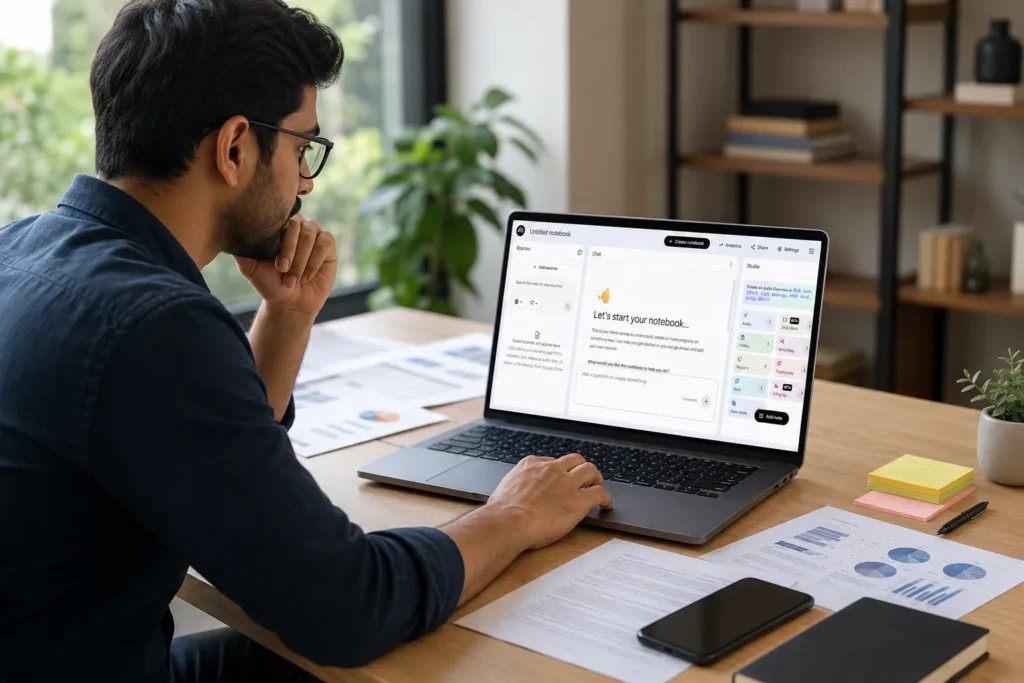
The best Notebook LM uses are tasks where accuracy, context, and speed matter together. It shines when your source material already has value.
For startup founders, Google NotebookLM can reduce the time spent reading long documents. Upload investor notes, customer interviews, pitch deck drafts, market reports, product documents, and meeting transcripts. Then ask for patterns, objections, risks, or simple summaries.
For business owners, it can support internal training. Upload SOPs, product sheets, service brochures, and policy documents. Your team can ask simple questions instead of searching through folders.
For digital marketers, Notebook LM can help with content briefs, buyer persona research, competitor angle mapping, SEO clustering, and campaign reporting. It does not replace strategy, but it reduces manual reading time.
Useful workflows include:
- Summarising long market research reports
- Comparing competitor service pages
- Turning webinars or YouTube videos into notes
- Creating FAQs from customer support documents
- Preparing sales call cheat sheets
- Building onboarding guides for new employees
- Generating study guides, quizzes, and briefing documents
The output still needs human review. For marketing, always check claims, statistics, brand tone, and legal-sensitive statements before publishing.
Google NotebookLM vs Regular AI Chatbots

Google NotebookLM is better for source-based work, while AI tools like ChatGPT are better for open brainstorming. Use each tool for the right job.
|
Use Case |
Notebook LM |
Regular Chatbot |
|---|---|---|
|
Answering from uploaded files |
Strong |
Depends on upload support |
|
Checking source citations |
Strong |
Varies by tool |
|
Open creative ideas |
Good, but source-led |
Usually stronger |
|
Business knowledge base |
Strong |
Depends on setup |
|
Fast general answers |
Good |
Strong |
This matters for Indian businesses because most teams already have useful data, but it sits across WhatsApp notes, Google Drive folders, sales decks, Excel files, and long PDFs. Notebook LM brings that material into one focused research workflow.
Still, it has boundaries. Each notebook works independently, so it cannot automatically read across every notebook unless you bring the right sources together. If the answer is not in your sources, it may not answer well. That is a feature, not a flaw, because it helps reduce unsupported claims.
How to Use Notebook LM for SEO and Content Marketing
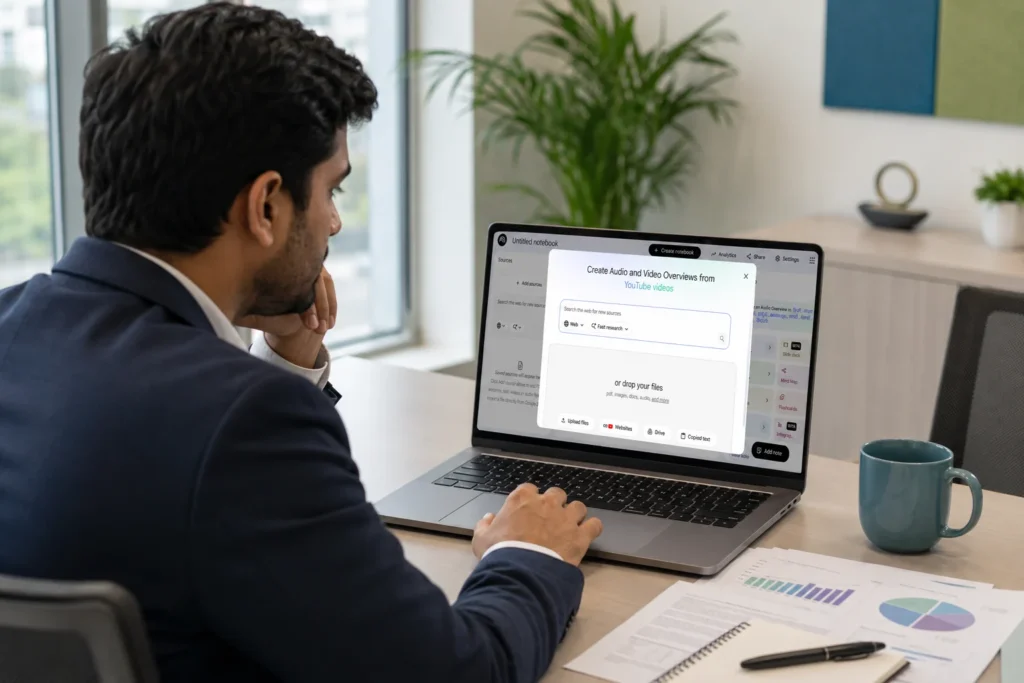
Notebook LM can make SEO research faster when you feed it reliable sources and ask clear, specific questions. Weak inputs create weak outputs.
A practical SEO workflow looks like this:
- Create one notebook for one topic cluster.
- Add your existing blog URLs, competitor URLs, keyword analysis notes, search intent notes, and customer questions.
- Ask it to summarise common themes and gaps.
- Ask for a reader-first outline, not a keyword-stuffed outline.
- Compare the findings with your best SEO tools data before finalising the brief.
- Ask what claims need proof before publishing.
- Use the answer as a brief, then write with human judgement.
For example, a marketing team can create a notebook for “local SEO for clinics in India.” Add Google Business Profile help pages, competitor blogs, internal case notes, and client FAQs. Then ask Google NotebookLM to identify missing sections, common objections, and voice-search questions.
This gives you a stronger AEO workflow. Answer engines prefer clear, direct, well-structured content. Notebook LM can help you find the exact questions your content should answer, but your team must still add experience, proof, examples, and business context.
It also supports Generative Engine Optimization planning because your team can review how well a topic is explained, supported, and structured before publishing.
Important Features You Should Know

Notebook LM has grown beyond simple summaries. The current feature set supports research, learning, presentation, and team enablement.
Important features include source-grounded chat, citations, Audio Overviews, Video Overviews, mind maps, reports, data tables, flashcards, quizzes, slide decks, and infographics. Google’s Help documentation also lists export options for some reports and data tables into Google Docs or Sheets.
Audio Overviews are especially useful for busy founders. You can turn dense documents into podcast-style discussions and listen while travelling or doing routine work. Video Overviews can help explain complex material visually, and Google has also expanded Video Overviews and richer Audio Overviews across 80 languages. You should still review the final output before sharing it with clients or employees.
Notebook LM also supports many source types and file formats, including PDFs, websites, Google Docs, Google Slides, Google Sheets, Microsoft Word documents, text files, markdown, CSV, PowerPoint files, ePub, images, and audio files. Availability and limits can change, so check Google’s official Help pages before planning large-scale workflows.
Limits, Privacy, and Accuracy Checks

Notebook LM is useful, but it is not perfect. Treat it like a skilled assistant that still needs review, not a final decision-maker.
Google’s NotebookLM FAQ currently mentions limits such as notebooks per user, sources per notebook, word limits per source, file size limits, and daily limits for chats or generated outputs. These limits may vary by free, paid, Workspace, or Google AI plan access.
Privacy matters too. Google states that NotebookLM data is protected and not used to train NotebookLM unless users provide feedback. For Workspace and Education users, Google states through its NotebookLM Workspace information that uploaded sources stay private unless shared and are not used to train models.
Still, Indian businesses should use a clear internal policy. Do not upload highly sensitive contracts, personal customer data, medical data, financial credentials, or confidential client information unless your organisation has approved the tool, account type, and access controls.
Accuracy checks are simple:
- Open the citation before trusting the answer.
- Ask the same question in two ways.
- Remove weak sources if they confuse the answer.
- Keep each notebook focused on one project.
- Check dates when using fast-changing topics.
- Do not use it as final advice for legal, medical, or financial decisions.
This is the same approach a hardware engineer uses when testing a system. You do not trust the display reading alone. You check the input, the signal path, the output, and the failure points.
Digirank’s Take on Notebook LM for Growth Teams
Notebook LM becomes powerful when businesses stop treating it like a toy and start treating it like a structured knowledge system.
Our view is simple: Notebook LM should sit between your raw research and your final strategy. It should not replace your strategist, writer, sales head, or founder. It should remove the messy middle work: reading, sorting, summarising, comparing, and pulling key points from trusted material.
For Indian businesses, the biggest win is speed with control. A founder can review a market faster. A marketing manager can build better briefs. A sales team can answer product questions with more confidence. A content team can create stronger AEO pages because the source material is organised before writing begins.
The risk is lazy publishing. If a business copies AI summaries directly, the content will sound thin. The better approach is to use Google NotebookLM for research, then add real examples, customer insight, local context, service experience, and conversion strategy.
When Should You Not Use Notebook LM?
Do not use Notebook LM when the task needs live facts, professional judgement, or sensitive decisions without expert review. It depends on the risk.
Avoid using it as the final source for tax advice, legal interpretation, medical guidance, investment decisions, or compliance-heavy work. It can summarise source material, but it cannot accept responsibility for your business decision.
Also, do not expect it to fix poor source quality. If you upload outdated PDFs, biased competitor posts, or incomplete notes, the answer will reflect those problems. For serious work, source selection matters more than prompt style.
Final Thoughts
Notebook LM is one of the most practical Google AI tools for businesses because it works from your own material. That makes it useful for research, SEO, content planning, sales support, internal training, and faster decision-making.
For India-focused founders and marketers, the opportunity is clear. Build focused notebooks around your growth problems: SEO content, customer objections, product training, competitor research, or campaign learning. Then use Notebook LM to extract insight, not to replace thinking.
If your business wants stronger online visibility, better qualified leads, and higher conversion from SEO and digital marketing, Digirank’s SEO services in Bangalore can help you turn research into measurable growth. Let our team build a practical strategy that improves rankings, attracts the right audience, and converts traffic into revenue.
FAQs on Notebook LM
Here are quick answers to the most common questions people ask about Notebook LM, especially when they want to use it for research, SEO, business documents, and daily productivity.
1. What is Notebook LM used for?
Notebook LM is used to upload sources, ask questions, summarise documents, create study guides, generate Audio Overviews, and organise research. Businesses use it for content research, training, sales support, and faster decision-making.
2. Is Google NotebookLM available in India?
Yes, Google NotebookLM is available in India for eligible users through supported Google accounts. Availability can depend on age, account type, organisation settings, and Google’s current regional support.
3. Is Notebook LM free?
Notebook LM has free access for many users, but limits apply. Google also offers higher limits and premium features through Google AI plans, Google Cloud, or qualifying Workspace plans.
4. What files can I upload to Notebook LM?
Notebook LM supports many source types, including PDFs, websites, YouTube links, audio files, Google Docs, Google Slides, text files, Word documents, CSV, PowerPoint files, images, and more. Limits may change.
5. Does Notebook LM give citations?
Yes. Notebook LM gives source-based citations in its answers. You should click or open those citations to check whether the answer correctly reflects the original source.
6. Can Notebook LM help with SEO content writing?
Yes, Notebook LM can help with SEO research, content briefs, competitor analysis, FAQ discovery, and topic clustering. It should support your content process, not replace human writing and review.
7. Is Notebook LM better than ChatGPT?
Notebook LM is better for answering from uploaded sources with citations. ChatGPT is often better for broad brainstorming, creative writing, and general problem-solving. Many teams use both.
8. Is Notebook LM safe for business documents?
Notebook LM has privacy protections, but businesses should still follow internal data rules. Avoid uploading highly confidential, personal, financial, legal, or client-sensitive documents unless your organisation has approved it.